
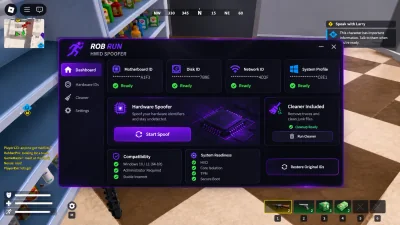
HWID Spoofer and Account Bans: Know What Changes
Understand hardware identifiers, account sanctions and the included cleaner before deciding whether an HWID Spoofer fits your situation.
An HWID Spoofer is a separate hardware utility, so the reason you are considering it matters. A message about an account restriction does not automatically mean the PC needs identifier changes. Before buying, separate the account involved, the hardware involved and the exact error shown by the game. This guide explains what the listed utility covers and which questions belong with support.
What an identifier change covers
The HWID Spoofer lists disk serials, MAC addresses, GPU identifiers and related hardware fingerprints. Its license also includes a trace cleaner. Those functions describe work on identifiers and traces associated with the PC. They do not establish why a particular login failed or whether the current build supports a particular game.
Treat the supported identifier list as a scope description. If your question concerns a specific device or client build, provide that information before purchase. A broad product category is not enough to select a working configuration, and a dashboard image does not confirm present compatibility.
An account sanction remains a separate issue
The utility does not remove an account sanction. Changing a hardware value does not make an existing account restriction disappear, restore purchases or change the terms attached to that account. Keep any official notice and its exact wording available when you investigate the problem.
The official account-support process is the place to ask about an account decision. Product support can answer questions about this utility and its current requirements. Asking each service the right question avoids buying hardware software for a problem that has not been identified.
A listed anti-cheat family is only a starting point
The product page lists families including Vanguard, BattlEye, Easy Anti-Cheat, Ricochet, ACE and Javelin. That list should lead to a title-specific compatibility check. It is not a promise that every game or future patch using one of those families will work.
This distinction matters for ROB RUN. Do not infer support from the game’s anti-cheat family or from the storefront’s main game. Ask about the exact game, current client and your hardware. Identifier changes are not a guarantee of access or protection from later penalties.
Prepare a useful support question
A concise report gives support something concrete to assess. Include the exact product you are considering, the game version, the Windows version and the error text. Explain whether the notice mentions the account, the device or neither. Keep private account details out of public discussion.
Use the existing support routes for current product guidance. If you also need to prepare Windows, the HWID security checklist covers the stated settings without assuming a loader sequence.
Before choosing a license
Confirm current game coverage, hardware coverage, license binding and delivery instructions before opening checkout. Check the current terms there rather than assuming a device-transfer allowance or a permanent compatibility promise. The cheat package and cosmetic client have different purposes; the product comparison guide explains those choices.
Checklist before ordering
- Keep the original restriction notice and exact error text.
- Confirm the exact game build and PC with support.
- Separate account recovery from hardware-utility questions.
- Review current access and delivery terms before ordering.