
HWID Spoofer Setup: Windows Security Checklist
Prepare Windows, administrator access, HVCI, Core Isolation, TPM and Secure Boot before following the supplied HWID Spoofer instructions.
Before using the supplied HWID Spoofer instructions, establish the state of the PC you will use. The product lists Windows, security and administrator requirements; guessing which settings to disable is a poor starting point. A short preparation record gives you a clearer support question and helps separate a missing prerequisite from an unknown compatibility issue.
Record the Windows environment
The HWID Spoofer requirements specify 64-bit Windows 10 or 11. Note the Windows version and the hardware involved before you order. If you are also preparing Cloud DMA, check its separate Hyper-V requirements rather than assuming every utility has the same setup.
Keep access to the delivered loader and a stable internet connection for activation and updates. The listed administrator requirement applies to the spoof operation and the included cleaner. Confirm that you can provide the required access on the intended PC before planning a first run.
Check HVCI within Core Isolation
The product requires HVCI and Core Isolation to be enabled. Microsoft calls HVCI “Memory integrity” within the Core isolation area of Windows Security; its device-security documentation explains those labels. They are related checks rather than two unrelated switches.
Read the actual state displayed by Windows, not an old screenshot from another PC. If a setting cannot be enabled, preserve the exact message and use the supplied support route. The product’s requirement remains enabled security; this checklist does not substitute a different configuration.
Check TPM and Secure Boot in firmware
TPM and Secure Boot must also be on. Their presence in a specification sheet is different from their enabled state on the machine. Use the PC or motherboard manufacturer’s instructions when locating the relevant firmware settings.
Record the result of each check before following the loader instructions. Avoid changing unrelated firmware options while trying to satisfy a single prerequisite. If your system shows a different label or cannot provide a required setting, explain the hardware and the exact screen to support.
Keep setup order and compatibility separate
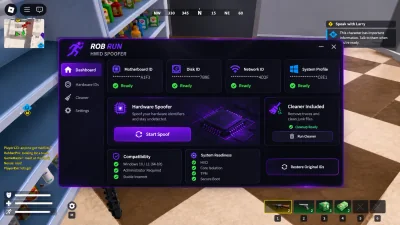
A prepared Windows installation does not prove current support for a game. Ask about the exact title and client build as well as the hardware. Likewise, an image showing the product menu does not provide a complete installation sequence for your current version.
Follow the instructions delivered with your purchase for the operation order. The utility includes identifier changes and a trace cleaner, but this guide does not invent extra reset options or a universal sequence. For the limits of hardware changes, read HWID Spoofer and account bans.
Bring a concise record to support
A useful report includes the Windows version, relevant hardware, status of the required settings, product name and exact error text. State which documented step you reached and what happened there. Leave passwords and private license details out of public posts.
Use product support to confirm uncertain requirements before checkout or before changing a working configuration. Current license binding and transfer terms must also be checked; the feature list does not establish an unlimited reset allowance or guarantee future game access.
Checklist before ordering
- Windows 10 or 11, 64-bit, with the required administrator access.
- HVCI and Core Isolation enabled in Windows Security.
- TPM and Secure Boot enabled in firmware.
- Stable internet, loader access and current delivered instructions.